By Victory Laser Co · · 7 min read
What File Should You Send for Laser Engraving?
A practical logo preparation guide for engraved tumblers, company gifts and other personalized items.
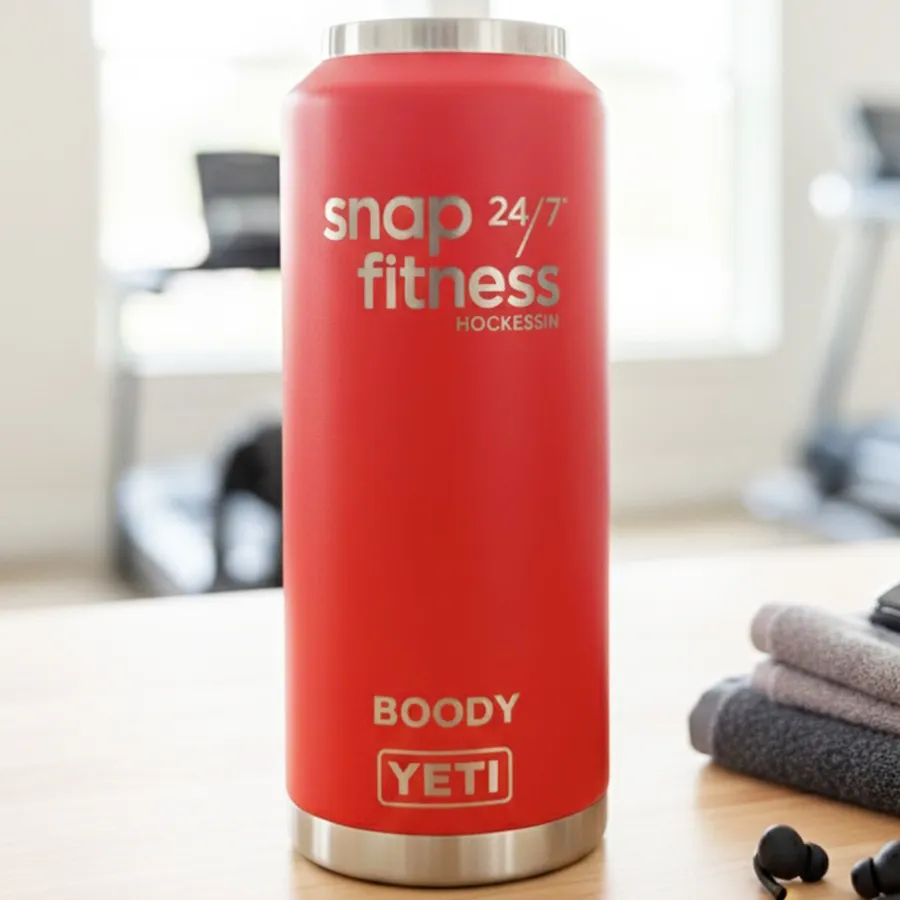
For a company logo, send the original vector artwork if you have it, plus the exact product and the intended engraving size. If you only have a PNG, JPG or screenshot, send the clearest original available for review. A file extension alone does not tell us whether the artwork will reproduce cleanly on the item you want engraved.
The useful question is not simply “Can you open this file?” It is “Will this version of the logo remain recognizable at the size, on the surface and in the position we have chosen?” This checklist helps you supply the information needed for that review.
Why vector artwork is usually the best starting point for a logo
Vector artwork describes shapes with paths rather than a fixed grid of pixels. That makes it a useful starting point for clean logo edges, resizing and reviewing individual elements. The original file from your designer is generally more helpful than a logo copied from your website header.
An image file can still be usable. Photographs are normally raster images, and many engraving projects intentionally use raster artwork. Epilog's explanation of raster and vector processing describes the difference between scanning an image and following vector paths. The artwork type and the engraving method are related decisions; having a vector logo does not mean every part of the finished engraving will be made as a vector line.
For a brand mark, the advantage of the original vector is control. Small lettering can be reviewed separately from the symbol, unwanted backgrounds can be identified, and a simplified version can be discussed without guessing at blurred pixels.
SVG, AI, EPS, PDF, PNG and JPG: what should you send?
Send the original design file and a normal visual reference when possible. SVG, AI and EPS files often contain vector artwork. A PDF can contain vectors, raster images or both. PNG and JPG are image formats. These labels describe the container or format, not a guarantee that the logo inside is production-ready.
LightBurn's file-management documentation lists supported vector, mixed and image import formats. Import support is only the first check; the artwork still needs to be reviewed for the particular item and job. Ask before converting an EPS or other source file into a different format, and keep the original available.
- If you have the designer's original: send it with a reference showing the correct appearance.
- If you have a PDF: send it as supplied. Do not assume that placing a screenshot in a PDF turns it into vectors.
- If you have a PNG or JPG: send the original exported image rather than a screenshot of that image.
- If you only have a screenshot: send the largest, clearest version you have and explain where it came from.
Renaming logo.jpg to logo.svg does not convert the artwork. Enlarging a small image also does not recover detail that was missing from it. Artwork cleanup or reconstruction may need a separate review and scope; do not assume it is included or that every screenshot can be recovered accurately.
Plan how the logo should look on the actual product
A multicolor screen logo needs a deliberate engraving version. Tell us which parts of the mark must remain distinct, and send an approved single-color version if your brand has one. Gradients, shadows, fine outlines and overlapping colors may need a different treatment from a flat symbol.
Do not assume every material engraves black, or that the laser can reproduce a printed brand color. The visible result depends on the material, coating and process used for the particular item. A proof communicates the proposed layout; a screen preview alone cannot establish the exact appearance of an unfamiliar finish.
For a hypothetical logo with a large roof icon, a business name and a very small tagline, the tagline may become the limiting detail on a tumbler. The better solution may be an approved simplified version rather than shrinking everything until it fits. Keep the full mark available for applications where there is more room.
Review small text and thin lines at the intended size
A logo that looks crisp when it fills a monitor can be difficult to read when it is reduced to a small engraving area. Look closely at narrow gaps, thin strokes, tiny trademark symbols and the spaces inside letters. These features need review together, not just a check of the outside dimensions.
There is no single minimum font size or line width that is safe for every material, product curve and engraving method. Send the intended width or height and let the layout be evaluated for that application. If the result is important across a large order, discuss whether a representative physical sample is appropriate before proceeding.
For text embedded in a logo, a copy with lettering converted to outlines can help preserve the letter shapes when files move between systems. Keep the editable original too. Check names and wording separately: text that has become artwork is not automatically easier to correct later.
What to send with your logo
A useful engraving request includes both artwork and product details. A brand name such as YETI or Stanley alone does not identify the available engraving area. Handles, curves, lids, seams and existing marks can affect placement.
- Original artwork: the vector source if available, plus a reference showing the approved appearance.
- Exact item: product or model, size, color, finish and a photograph if you are supplying it.
- Placement: which side, approximate width or height, and the relationship to handles or existing branding.
- Quantity and variation: whether every item is identical or includes a different name, title or number.
- Needed date: the date the finished pieces are needed, with any pickup or delivery requirements to discuss.
For individual names, provide one final list with spelling and capitalization checked. If different products receive different names, make that mapping explicit. Avoid sending several competing lists through separate messages without identifying which one is final.
Our custom tumbler page shows the drinkware service, and the corporate and business engraving page covers company gifting requests. If you are bringing an item you already own, review the bring-your-own-item guide before arranging a drop-off.
Check the proof before approving engraving
The final proof should be checked against the actual request, not only against the last picture in a message thread. Confirm the correct logo version, every name, punctuation and date. Check whether the artwork is centered where you intend and whether the stated size refers to the whole logo or one part of it.
On drinkware, confirm the orientation relative to the handle or original branding and whether the request is for one side or more than one. On a mixed order, make sure the product and wording stay matched. Flag a concern before approval rather than assuming it will be adjusted during production.
Ask which decisions the proof settles and whether a material or finish still needs physical confirmation. Digital approval is not a substitute for identifying an unknown surface. You can also review our engraving FAQs for the current ordering process.
Only have a low-resolution logo?
Start by asking the original designer, printer or person who created the brand for its source artwork. A file already used for a large sign or printed item may be more useful than the small logo saved from a social profile. Send the original attachment rather than forwarding a compressed preview when you can.
If that source is unavailable, send what you have for review. Tell us which details must stay exact and whether an approved simpler version exists. We can discuss the next step after seeing the artwork and product; a screenshot by itself does not establish that a redraw is practical or that a finished item will match your brand accurately.
Send your artwork and engraving details to Victory Laser Co. Include the item, quantity, placement and needed date so the request can be reviewed as a complete project.


